Pro Compressor
Offline Media Tool · Video, Photo & PDF
From Idea to Google Play — Built Entirely In-House
Pro Compressor is our own published Android app: it shrinks videos, photos, and PDFs entirely on-device — no uploads, no cloud — with a live before/after preview. We planned it, designed it, engineered it in Flutter, tested it, and shipped it to the Play Store ourselves. It's the clearest proof of how we build mobile apps for clients.
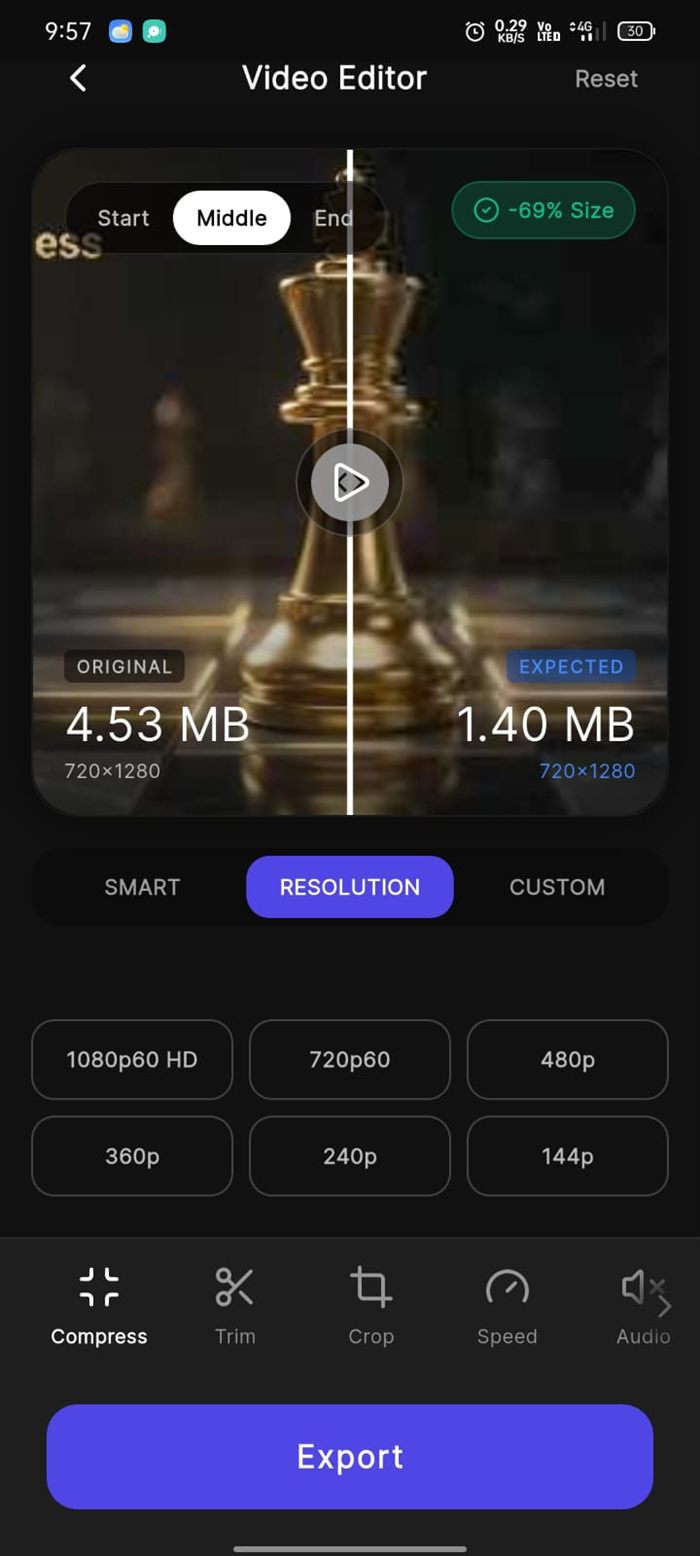
Compression Editor
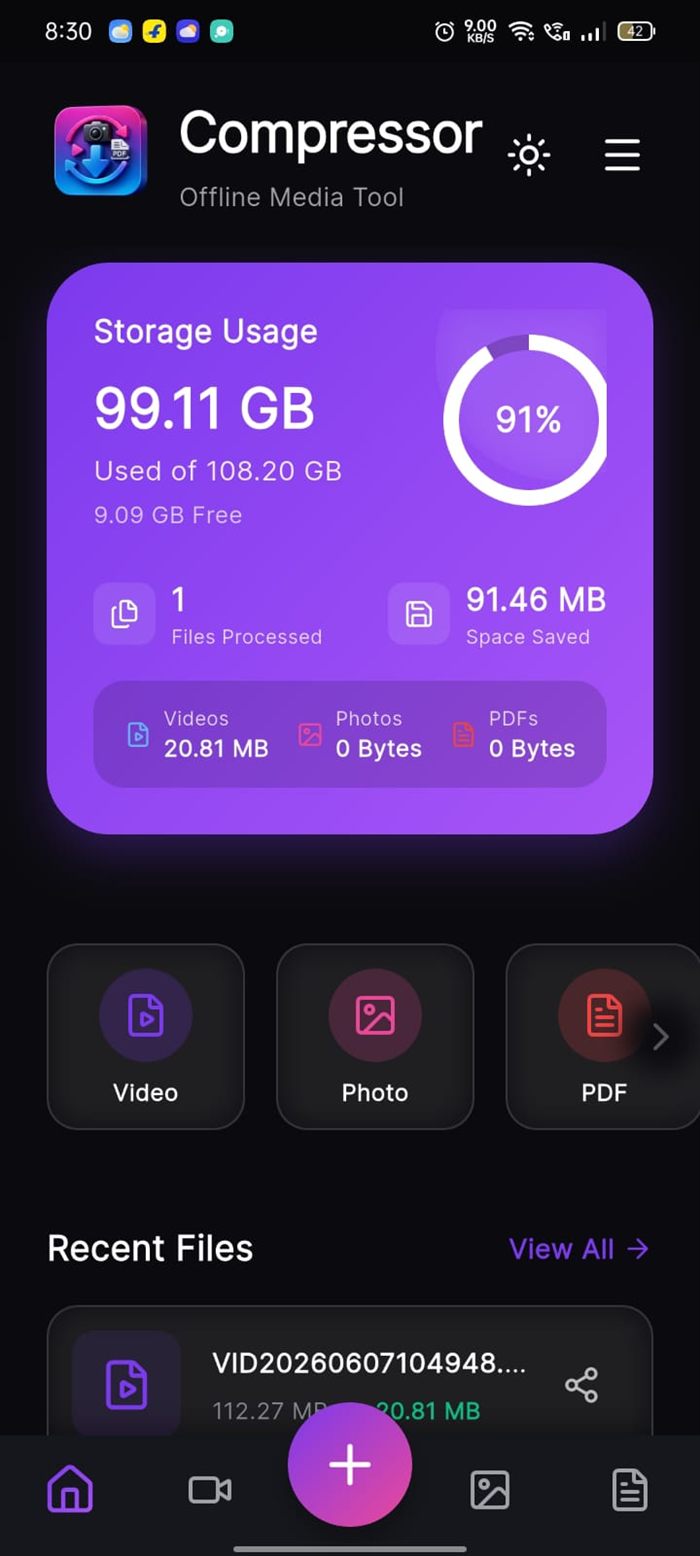
Product
Pro Compressor
Built With
Flutter · Dart · FFmpeg
Platforms
Android, iOS, Web, Desktop
Status
Published on Google Play
We Ship Our Own Products — Not Just Slide Decks
Most app development companies can only show you client work behind an NDA, or mockups that were never shipped. Pro Compressor is different: it's a real, published app you can download right now and judge for yourself — the UI polish, the performance, the store listing, all of it.
We chose a genuinely hard problem on purpose. Media compression means dealing with native platform codecs, background processing, progress reporting, file-system permissions, and large-file memory management — the exact engineering challenges that separate a working production app from a demo. And we built it once in Flutter so it runs on Android, iOS, web, and desktop from a single codebase — the same cost-efficient approach we bring to client projects.
Watch the Real App, Not a Mockup
This is a screen recording of Pro Compressor running on an actual Android phone — no prototype, no animation, no edited "concept video." It's the same build that's published on Google Play.
- Instant size prediction — Switch between Smart, Resolution, and Custom modes and the expected output size updates before anything is encoded.
- Native processing speed — Compression runs through on-device engines, so a 20 MB clip finishes in seconds without uploading a single byte.
- Editing built in — Trim, crop, speed, and audio controls sit alongside compression — one tool instead of three separate apps.
Recorded on a real device · 60 seconds
How We Take an App From Idea to Store Listing
The same five stages we run for every client mobile app project — planning first, code second.
1. Research & Planning
We define who the app is for and what it must do, then choose the architecture and stack around real constraints — device performance, offline needs, and budget — before writing any code.
2. UI/UX Design
Wireframes to a polished dark-theme interface: navigation, iconography, and the app icon itself, designed so first-time users understand it without a tutorial.
3. Development
A single Flutter codebase targeting Android, iOS, web, and desktop, integrating native compression engines, local Hive storage, and real-time progress reporting.
4. Testing & Optimisation
Real-device testing across file types and sizes — measuring compression ratios, processing time, memory use on large files, and edge cases like cancellation mid-run.
5. Deploy & Launch
Release builds and signing, store assets and screenshots, Play Console listing, policy and data-safety compliance, then publishing — plus a live web build for instant demos.
Three file types, one obvious starting point
One floating action button opens a single choice: Compress Video, Compress Photo, or Compress PDF. No menus to learn, no account to create, no sign-up wall between the user and the thing they came to do.
While a file processes, the app shows a live percentage ring, the exact megabytes converted so far, and a real time-remaining estimate — with the option to cancel mid-run. That kind of honest progress feedback is a small detail that decides whether users trust an app or force-quit it.
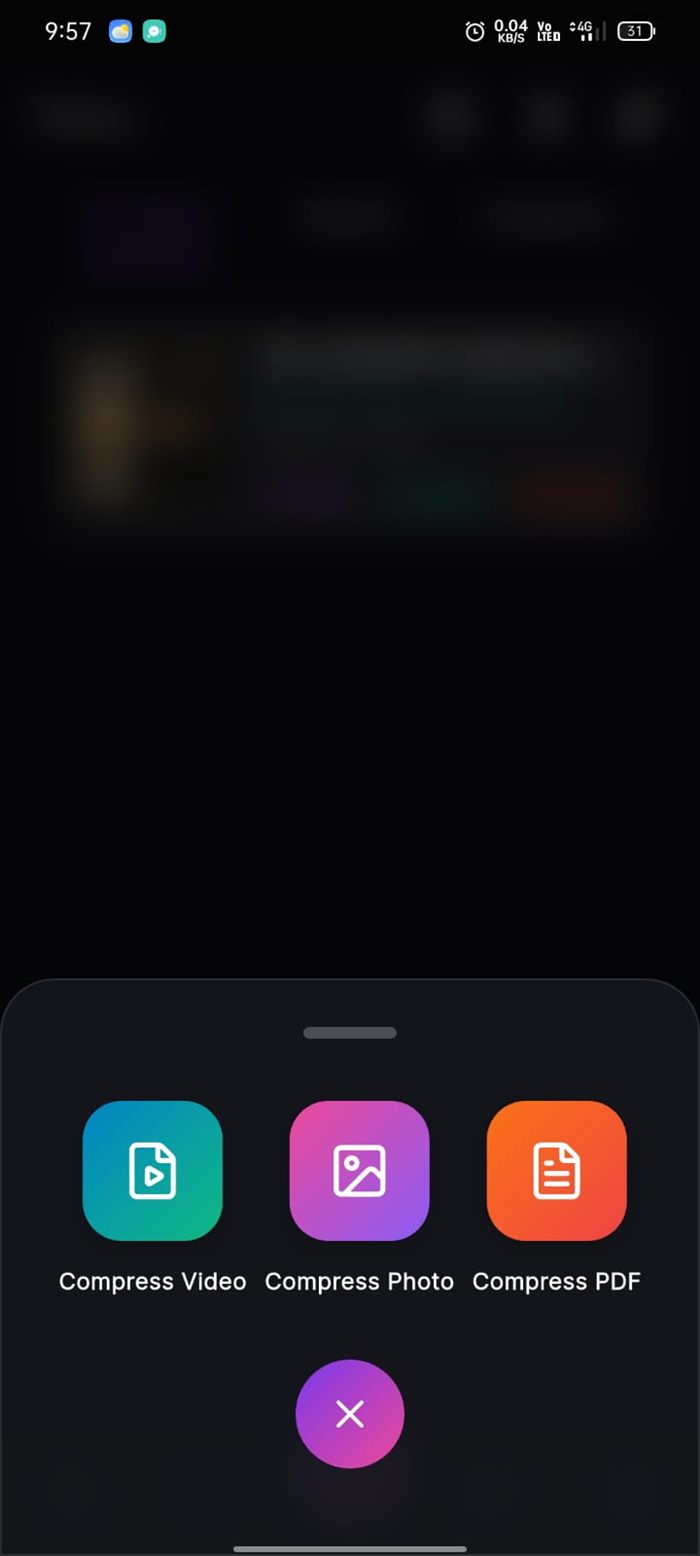
Choose What to Compress
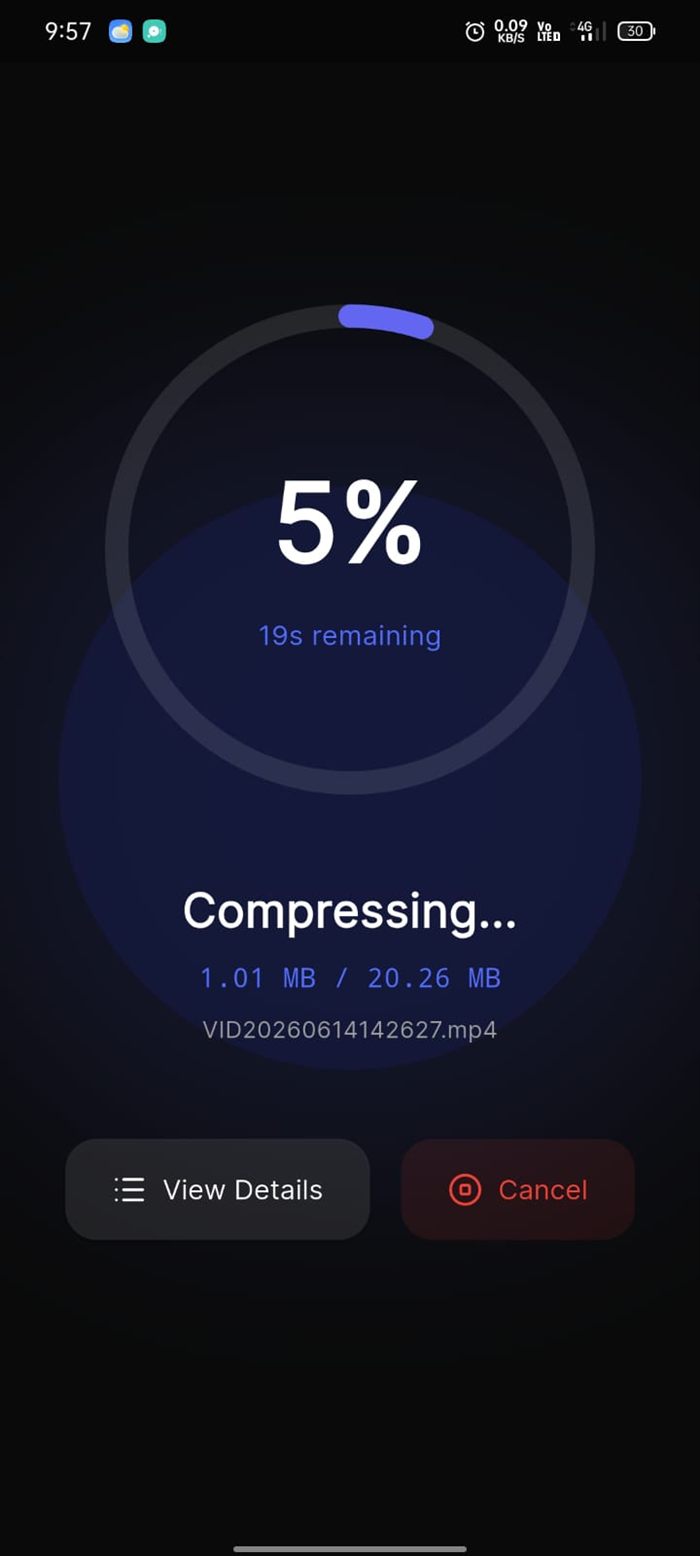
Live Progress + ETA
See the trade-off before you commit
The editor puts the original and expected file size side by side behind a draggable slider, so users can visually compare quality at Start, Middle, or End frames before exporting a single byte.
Underneath sit three compression modes — Smart, Resolution, and Custom — with presets from 1080p60 down to 144p, plus Trim, Crop, Speed, and Audio tools. The expected output size updates live as settings change, which is the feature that turns "compression" from a gamble into a decision.
Editor — Before/After Slider
92% smaller, in about four seconds
In real runs on a mid-range Android device, a 20.26 MB clip came out at 1.53 MB — an 18.74 MB saving, 92.5% smaller, in 4 seconds. A second clip went from 4.53 MB to 574.83 KB, an 88% reduction.
Every result screen shows the original size, compressed size, space saved, reduction percentage, and time taken — then offers Open, Share, Open Folder, and Copy Path so the file goes straight where the user needs it. Compressed files stay listed in a searchable library with their savings attached.
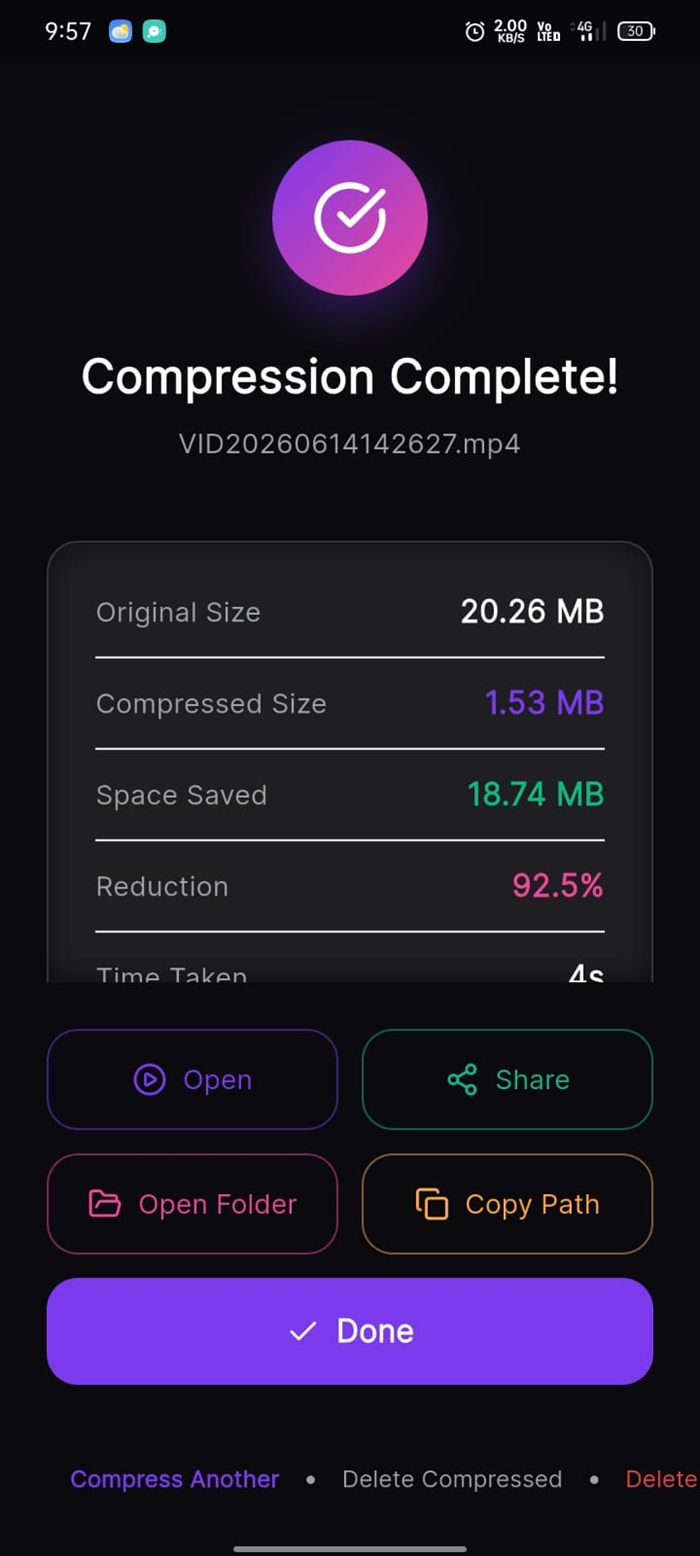
Compression Complete
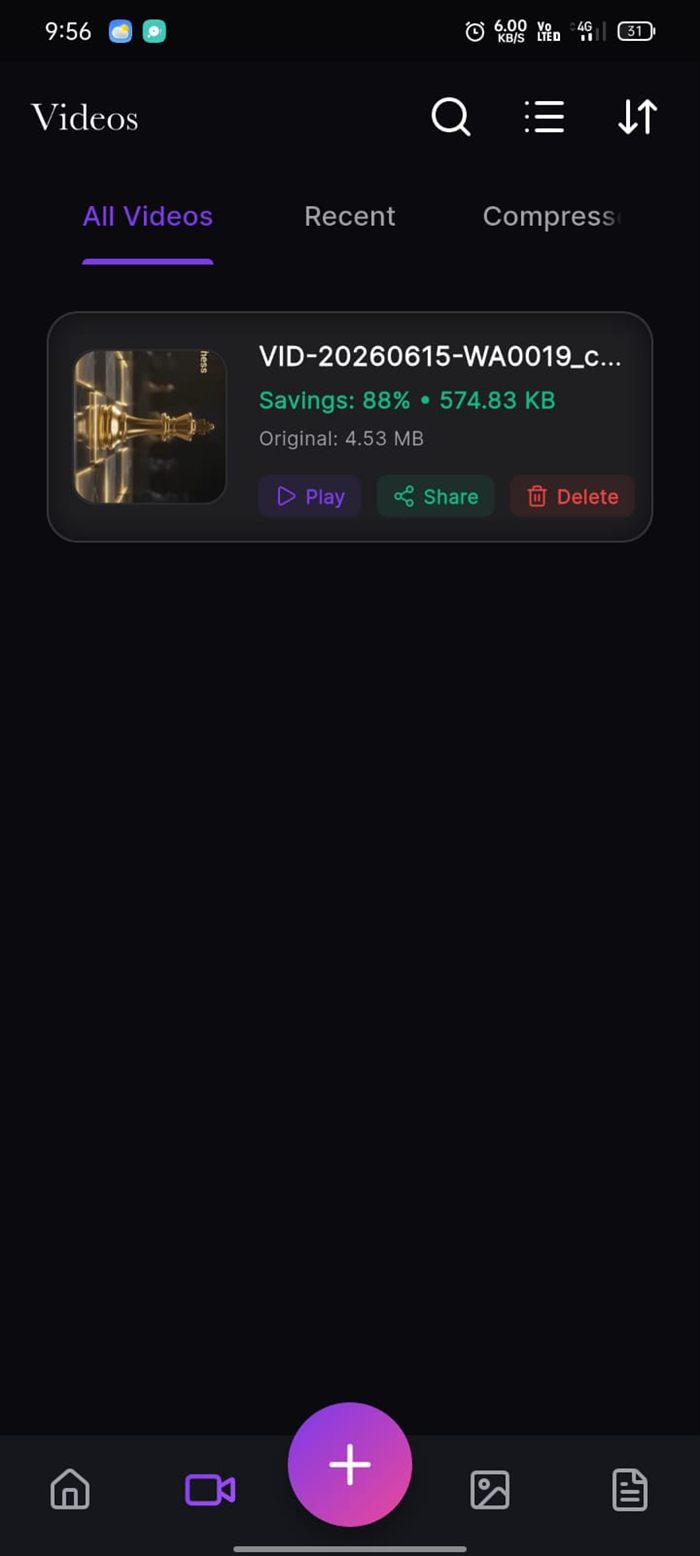
Compressed Library
Local-first, with the numbers to prove it
A built-in file manager tracks cumulative savings across the whole library — 22.71 MB saved at a 92% ratio in the run pictured — split into Videos, Photos, and PDFs tabs, each file shareable or deletable in one tap.
Because every operation runs through on-device engines rather than a server upload, files never leave the phone. For a media tool that's not a marketing line — it's an architectural decision that also makes the app fully usable offline, with no bandwidth cost and no privacy exposure.
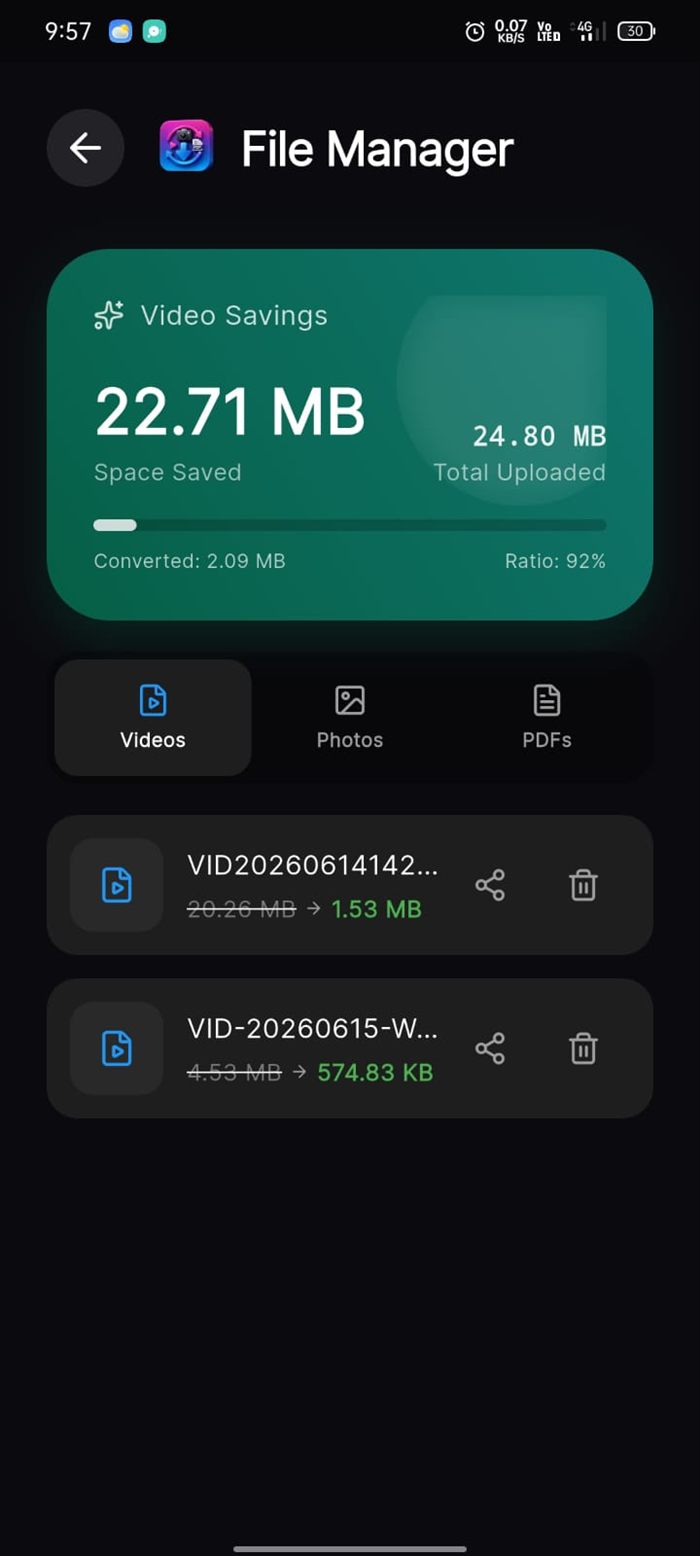
File Manager — Total Savings
Technology Stack
Everything This Build Included
Need a Mobile App Built and Launched?
We build cross-platform apps for Android and iOS from a single Flutter codebase — planning, UI/UX design, development, testing, and full Play Store and App Store launch. If we hold our own product to this standard, imagine what we'll do for yours.
Serving startups and businesses across India, the US, UK, Australia & Europe.