GymLogbook Pro
Offline Workout Tracker · v1.0.0
A Fitness App That Works With Zero Signal
GymLogbook Pro is our own Android app for tracking gym training. Every set, routine and analytic lives in an encrypted SQLite database on the phone — no account, no cloud, no connection needed in a basement gym. We planned it, designed it, built it and pushed it to the Play Console ourselves, which makes it a straight sample of how we deliver health & fitness apps for clients.
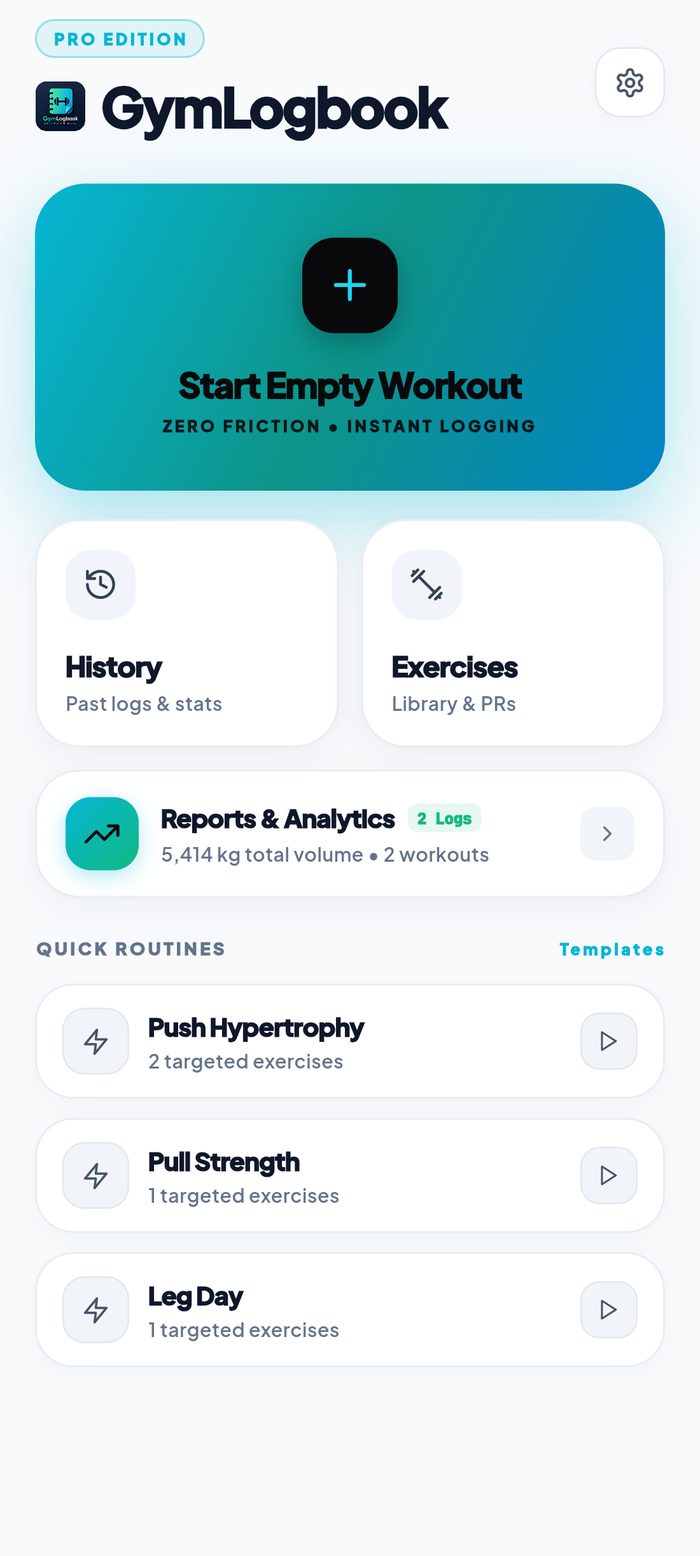
Home Dashboard
Product
GymLogbook Pro
Category
Health & Fitness
Data
Local SQLite · Offline
Status
Early access testing
A Real App You Can Judge, Not a Concept Deck
Fitness apps are easy to mock up and hard to get right. The moment someone is mid-set with sweaty hands and thirty seconds of rest, every extra tap, spinner, or "please log in" screen kills the habit. So we built the whole thing around one rule: start logging in one tap, and never wait for a network.
That constraint drove the architecture. Instead of a server-backed CRUD app, GymLogbook Pro runs on an encrypted local SQLite database with full JSON and CSV export, so the user owns their history outright and the app works identically in a gym basement with no signal. It's the same offline-first thinking we bring to field-service, logistics and healthcare apps where connectivity can't be assumed.
How We Take an App From Idea to Store Listing
The same five stages we run for every client mobile app project — planning first, code second.
1. Research & Planning
We mapped the actual gym workflow — start session, pick exercise, log set, rest, repeat — and set a hard target of one tap to begin. That decided the data model and the offline-first architecture before any code existed.
2. UI/UX Design
A bright, high-contrast interface designed to be readable at arm’s length with one thumb: large touch targets, a colour-coded card system, and both light and dark themes for different gym lighting.
3. Development
Cross-platform build with a local SQLite persistence layer, a typed exercise schema (weight & reps, reps only, duration, distance), live session timing, and an analytics engine that aggregates volume on-device.
4. Testing & Optimisation
Real-device runs through complete workouts — verifying set totals, elapsed timers, volume maths, backup/restore round-trips, and behaviour when the app is backgrounded mid-session.
5. Deploy & Launch
Release signing, store assets and screenshots, Play Console data-safety declarations, and a staged rollout through closed testing before wider release.
One tap from lock screen to first set
The home screen leads with Start Empty Workout — no routine to choose first, no account, no setup. The session opens with a live elapsed timer already running and a single call to action to add the first exercise.
Behind it sits a searchable exercise library where every movement is typed: Weight & Reps, Reps Only, Duration, or Distance. That one design decision means a barbell bench press, a plank hold and a 5k run each get the correct input fields instead of being forced into a generic form — and users can add their own custom exercises to any of those four types.
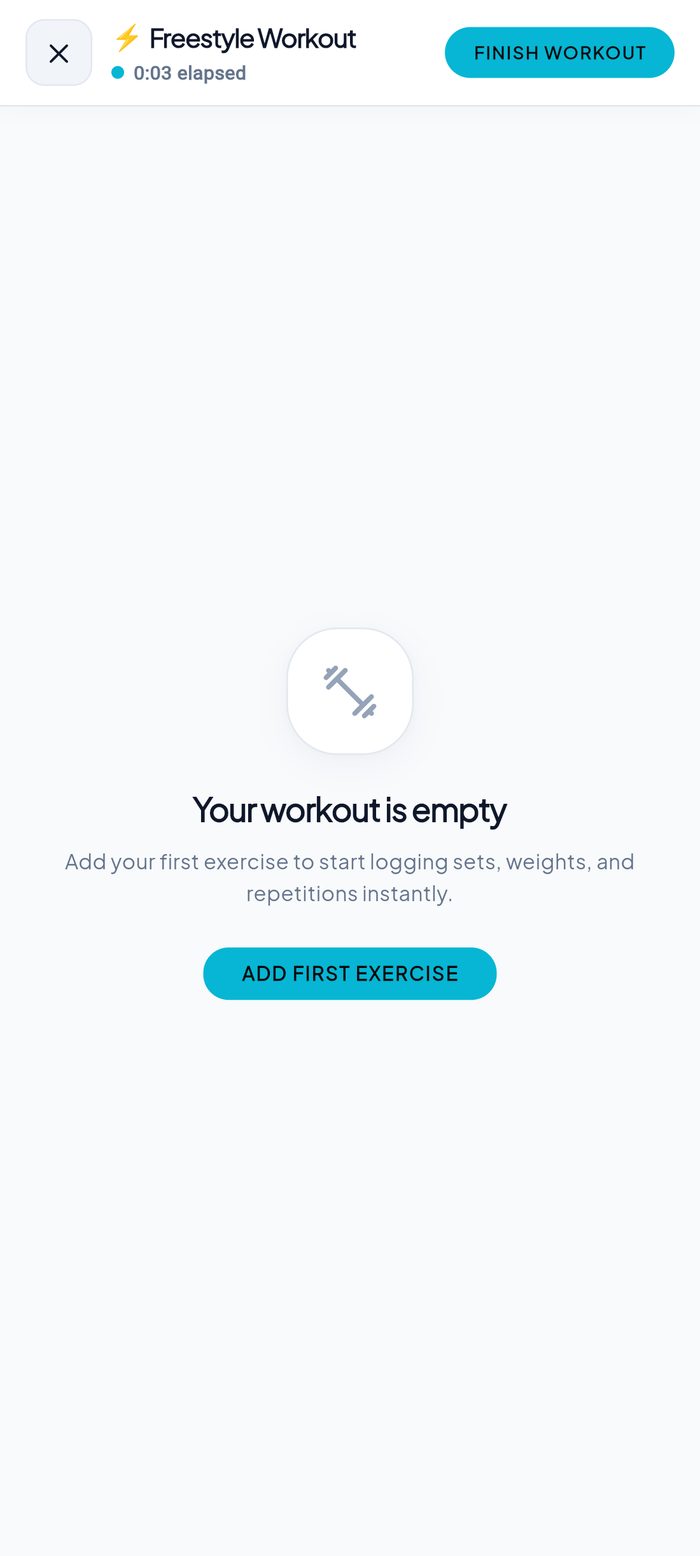
Live Session Timer
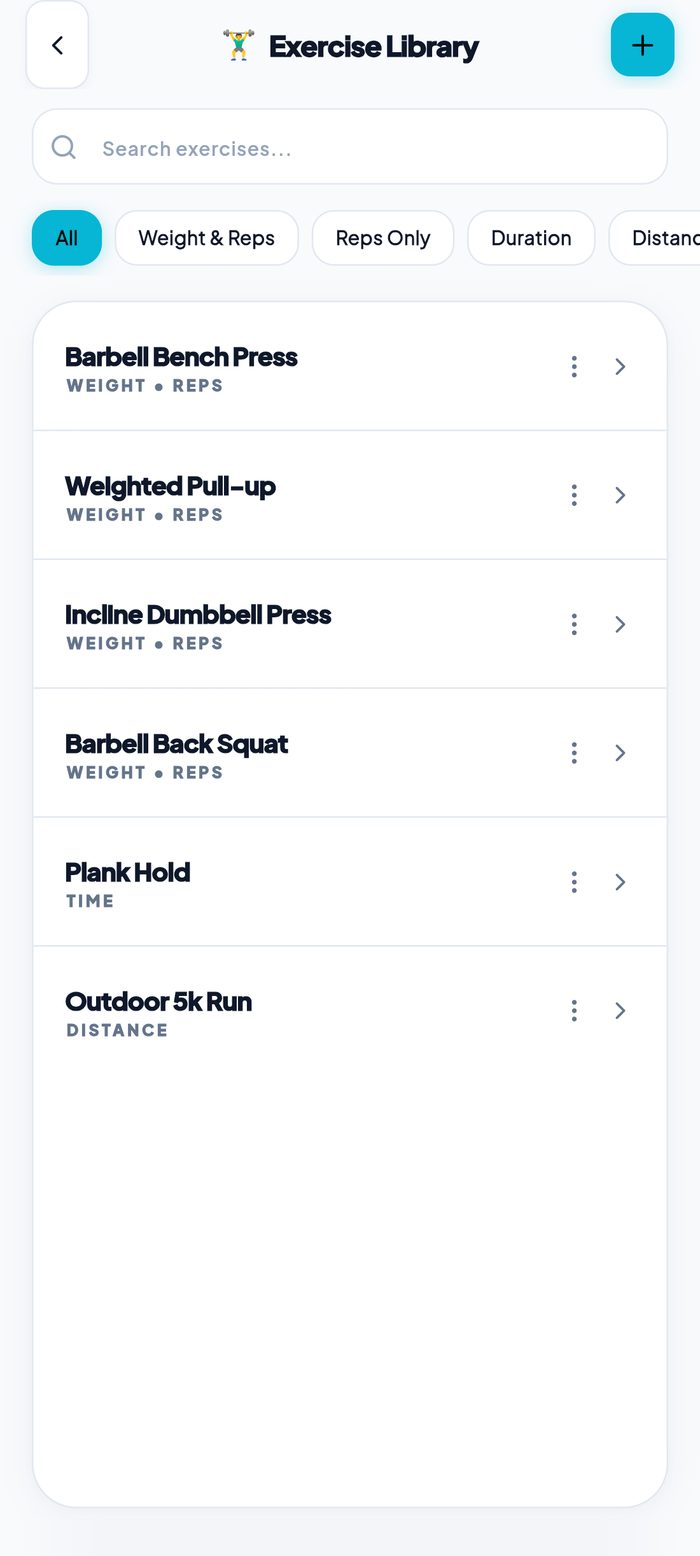
Exercise Library
Volume, load and split — calculated on the device
Logging data is only worth it if the app gives something back. The reports screen turns raw sets into the four numbers a lifter actually tracks — total volume, sessions, time under the bar, and sets completed — each with a trend against the previous week and a per-session average.
Below that, a weekly training-load chart and a targeted split breakdown show how the work was distributed across push, pull, legs and core, so an imbalance is visible at a glance. Every one of these figures is aggregated locally from the SQLite store — there is no analytics server, and no workout data leaves the phone to produce them.
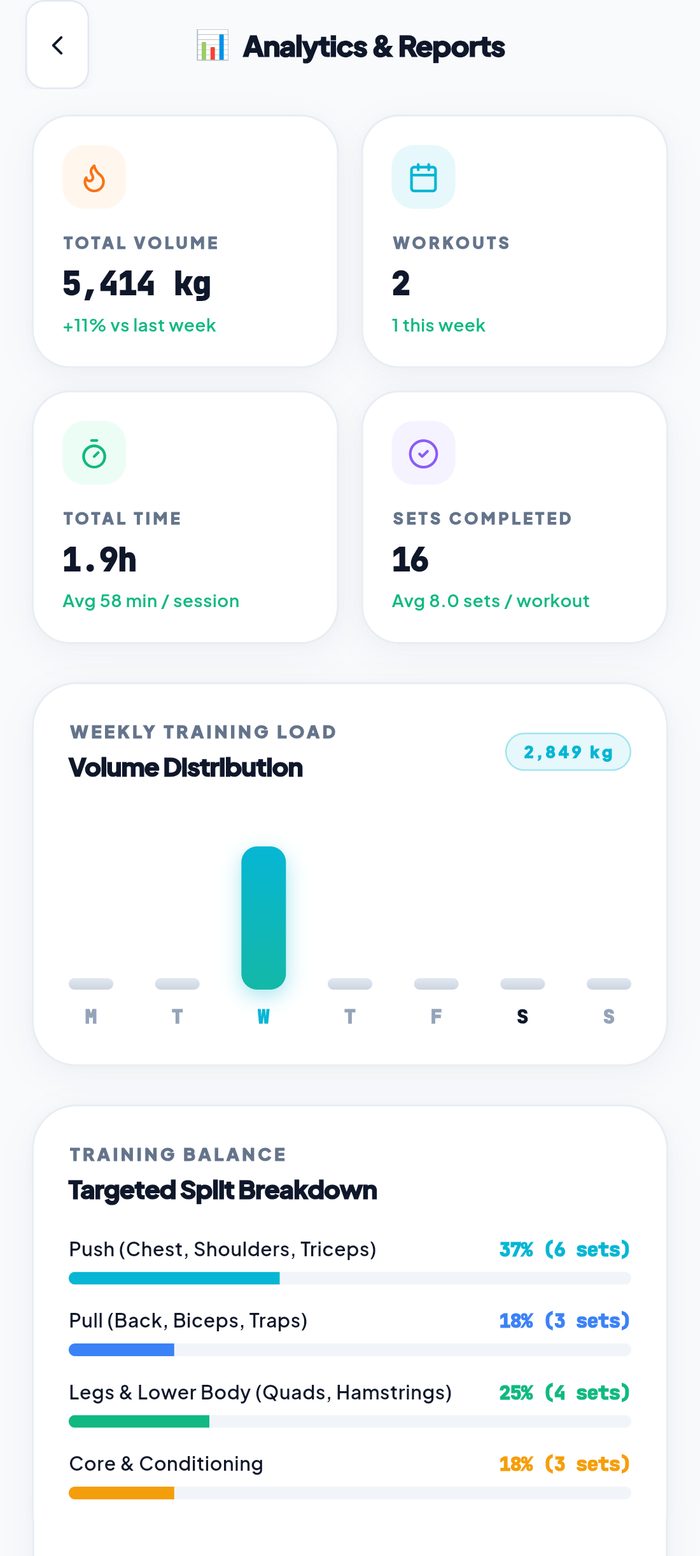
Reports & Analytics
Repeat last week, then beat it
Saved routines — push, pull, leg day — sit on the home screen as one-tap starters, backed by a reusable template system so a programme only has to be built once.
History records each session with its duration and total volume up front, then the exact exercises, set counts and working weights underneath. It reads like a training diary rather than a database dump, which is what makes the next session's target obvious without opening a spreadsheet.
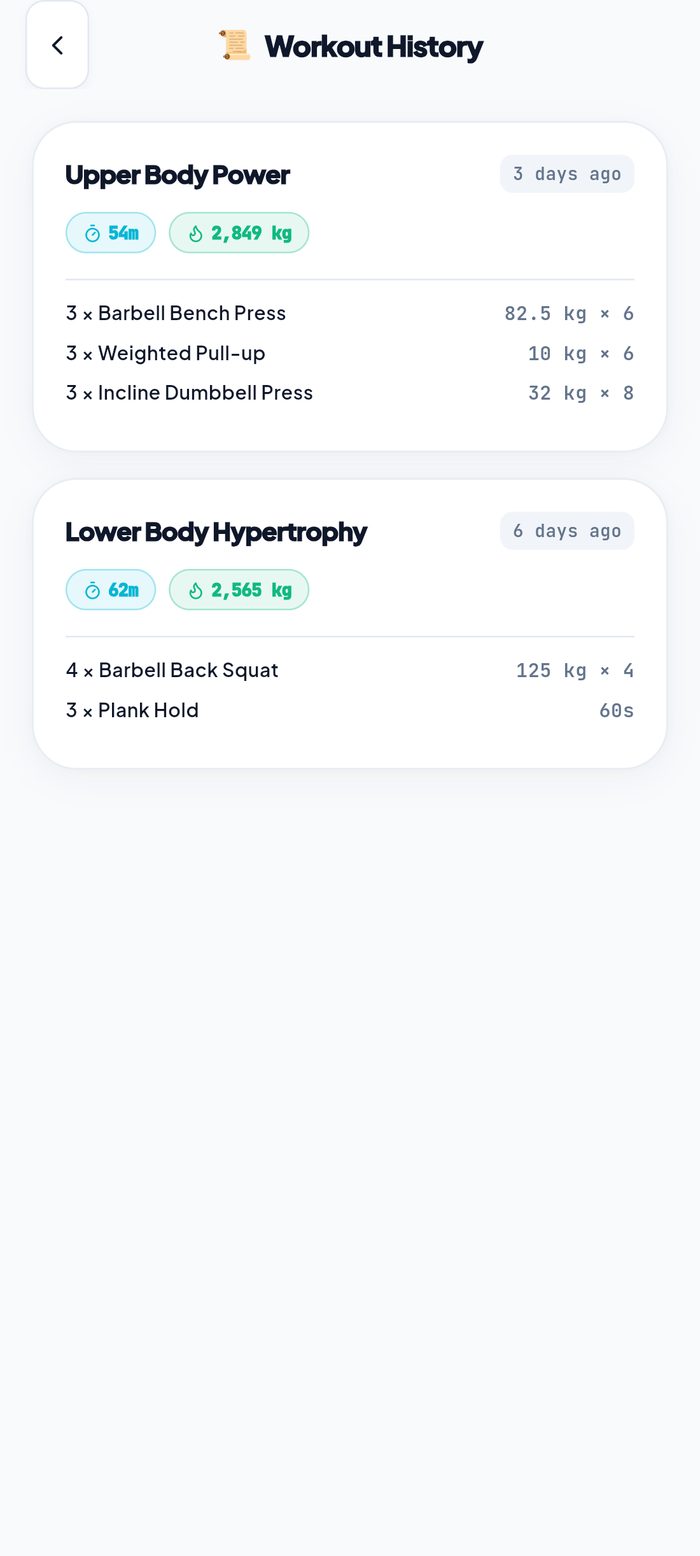
Workout History
Quick Routines
Encrypted locally, exportable in one tap
Training history is worth years of effort, so we refused to lock it inside the app. Settings offers a full JSON database backup, a CSV export that opens directly in Excel, Google Sheets or Numbers, and an import path to restore everything onto a new phone.
The underlying store is an encrypted SQLite file on the device — 100% offline by design. No sign-up, no server, nothing to breach. For any app handling personal health data, that architecture is also the simplest possible answer to a privacy review.
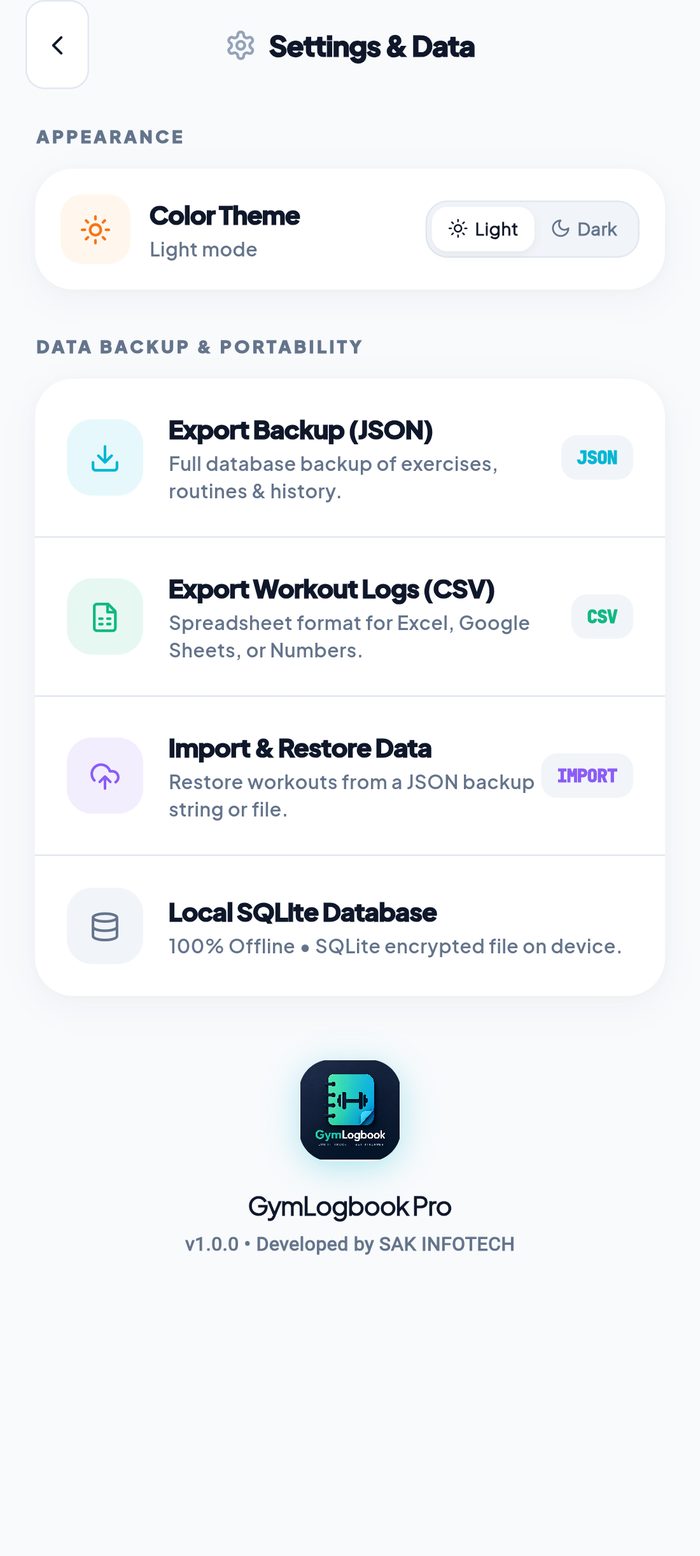
Settings & Data
Technology Stack
Everything This Build Included
Planning a Fitness or Health App?
We build cross-platform Android and iOS apps from a single codebase — including the hard parts: offline-first storage, on-device analytics, data export, and full Play Store and App Store launch. If we hold our own product to this standard, imagine what we'll do for yours.
Serving startups and businesses across India, the US, UK, Australia & Europe.